 Polyglot
The Polyglot journal
Why does my read-aloud EPUB highlight the wrong sentence?
The narrator says “Fold the map,” but the reader is already highlighting the instruction to close the gate. Before asking the narrator for a pickup, check which passage the EPUB pairs with that part of the recording.
Polyglot 1.11 · Prepared sample project
Listen once with the screen in view
Open the edition your reader received in a reading app that supports EPUB Media Overlays. Start the book’s recorded narration. Some apps can also read ordinary text aloud in a synthesized voice. Ask the reporter which playback control they used and whether they heard the recorded narrator. The two modes can sound similar, but only one uses the producer’s recorded clips.
Let playback run across the troublesome sentence. Write down the last words you hear while the first passage is active and the first words you hear after the highlight moves. Record the chapter, edition, reading app and version. Then start again from the chapter heading. This tells the producer whether the problem occurs during continuous reading, after navigating into the passage, or both. If a whole paragraph stays lit while several sentences play, first ask whether the producer chose paragraph-level synchronization. That can be the intended behavior.
Follow one phrase through the book files
An EPUB Media Overlay pairs a location in the book with an interval in an audio file. In the chapter’s XHTML, an element ID identifies the passage. In the overlay’s SMIL document, a par element groups a text reference with the audio clip to play while that passage is active. The chapter’s entry in the package manifest identifies its overlay. Start with that association when several chapters have files with similar names.
Suppose your own field guide contains the two sentences below. The editor has approved the chapter recording, including four seconds of opening music. Both times are measured from the start of that exact chapter audio file. They are invented for this exercise. Keep the filenames with the times: 4.000 seconds in the chapter MP3 can be a completely different moment in the studio’s full-book master.
ch2.xhtml
map   Fold the map.
gate  Close the gate.

ch2.mp3 · seconds
4.000–5.600  Fold the map.
5.600–7.400  Close the gate.
Check the text target before adjusting the clock
Ask the EPUB producer to open a working copy of the chapter and the overlay identified by its manifest entry. In this example the SMIL and XHTML files share a folder and the chapter MP3 is in its audio subfolder. The first pair should look like the fragment below. Its text reference ends in the ID on the element containing “Fold the map.” The second pair should point to ch2.xhtml#gate and select 5.600s through 7.400s from the same recording.
If the first pair points to #gate and its audio interval plays “Fold the map,” moving a boundary will never fix the word on screen. Follow the fragment into the XHTML and read the actual text there. A layout revision can leave an old ID attached to a different sentence. The producer should correct the target or restore the intended ID association, then check every other reference to the affected IDs. Both targets can exist and still point to the wrong words.
<par>
  <text src="ch2.xhtml#map"/>
  <audio src="audio/ch2.mp3"
    clipBegin="4.000s"
    clipEnd="5.600s"/>
</par>
When the highlight is right but the audio is late
Play the referenced audio asset by itself. If the right passage lights up but you hear the tail of the previous line, listen across both sides of the cut. Compare the end of the preceding clip and the start of this one against the actual recording. A clipped consonant at one join calls for a local boundary check. If every clip after the opening music is four seconds early, check whether someone timed a copy with the music trimmed off. Identify the first divergence before applying a chapter-wide adjustment.
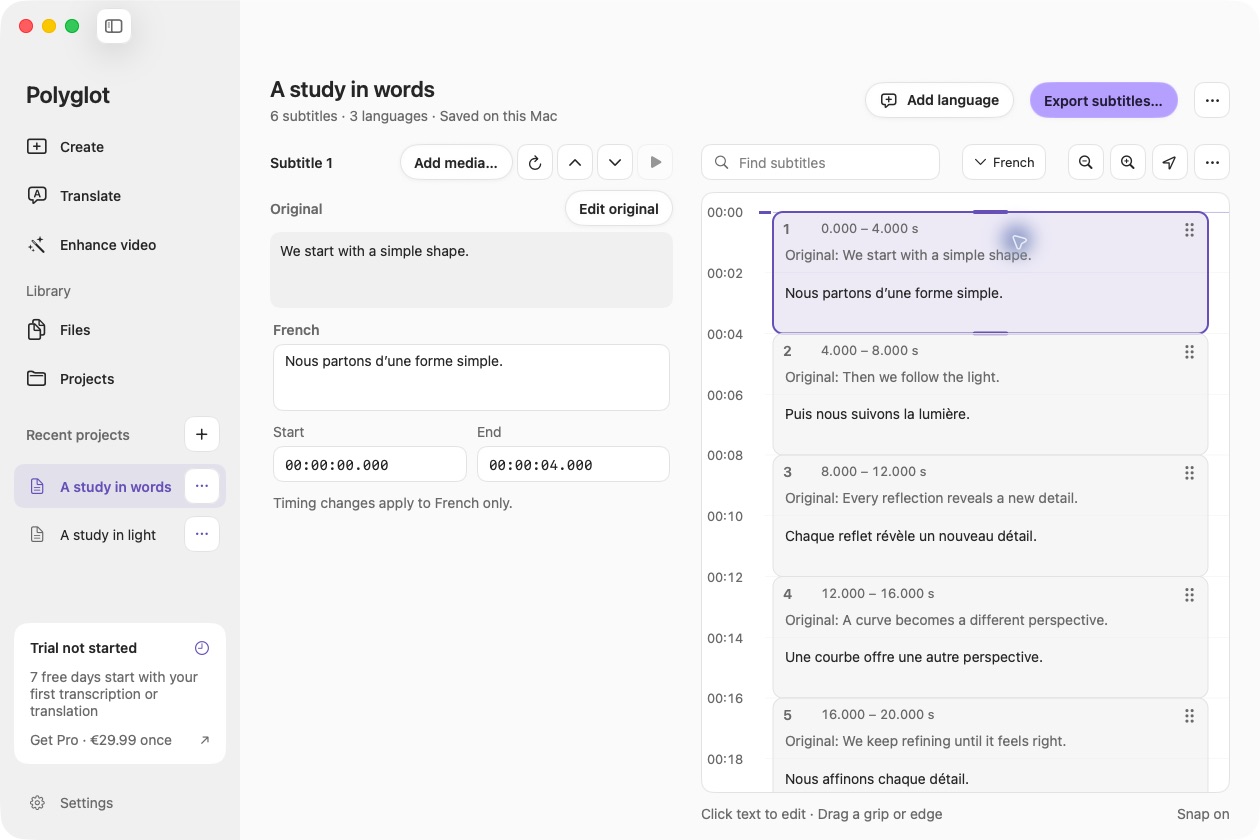
If you have an authorized timed transcript, open its SRT in Polyglot to review the wording and cue times alongside the matching reference. A subtitle cue may span both printed sentences. Listen for the second sentence and give the producer its start time in the packaged recording. A cue number identifies a row in the subtitle file. It gives the producer no way to locate an XHTML element unless someone also records the text target. Keep the original SRT and send the mapping with the chapter revision. The EPUB producer makes the SMIL and package edits in the book’s authoring tools.
Return a fix someone else can verify
Give the producer one line they can act on: “Chapter 2, field guide revision C, ch2.mp3 at 4.000s: hear ‘Fold the map’; gate lights up; expected ch2.xhtml#map.” Include the next pair as a control. If a revised narration take or a new chapter export is involved, identify it explicitly and recheck the pairs downstream of the edit. Only share text and recordings cleared for that production.
Open the rebuilt EPUB in the intended reading app. Start before the first sentence and follow both transitions. Pause, navigate to the second passage using a supported navigation point, then resume. Listen for “Close the gate” and observe where playback picks up. Record which checks you could actually perform. If the reading app only exposes chapter navigation, repeat the chapter-start check and leave sentence-level navigation unverified. A successful file check establishes where the references go; watching and listening in the delivered edition tells you what your reader experiences.
Sources & further reading
W3C · Reading system processing for media overlays
DAISY Consortium · Media Overlay elements and examples
Published by Polyglot using an AI-assisted editorial workflow. How we prepare and update our guides.
Keep exploring.
Try it on your Mac.
Find the right tools for your words and video, with processing on your Mac.
Download nowApple Silicon · macOS 14.4 or later