Explore Polyglot

Download now

For Apple Silicon · macOS 14.4+

Local AI. Your Mac.
Fix Subtitle Delay on Mac — SRT & VTT Timing Offset
Polyglot

A little earlier.
Right where it belongs.

When every subtitle is early or late by the same amount, move the whole track. Keep the words and cue lengths while adjusting their place in time.

Download now

Apple Silicon · macOS 14.4 or later · 7-day free trial

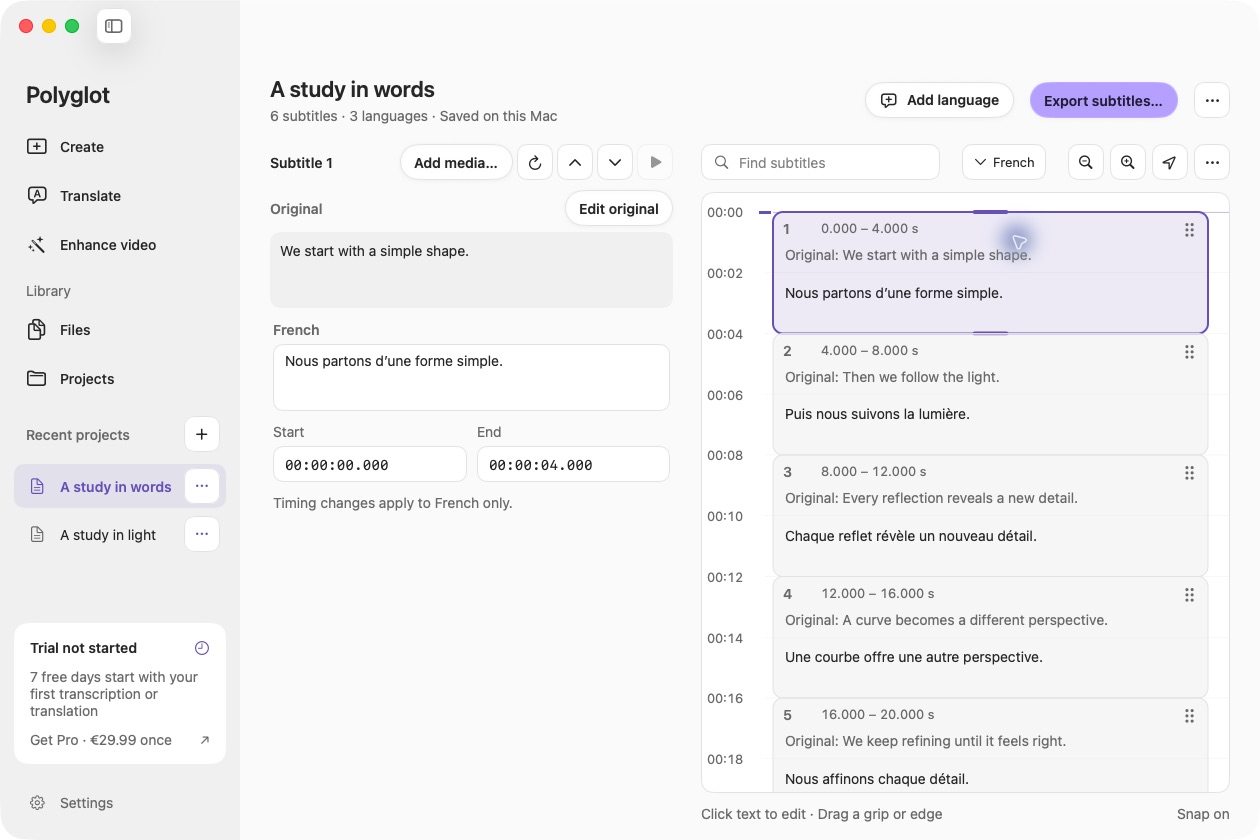
Polyglot SRT translation workspace with a prepared sample.

Polyglot 1.10 · Prepared sample project

01

Check whether the delay is constant

Open a saved track from Files, or import an SRT or VTT through Translate. Open the SRT, VTT or saved project and optionally attach the matching video. Compare speech and subtitles near the beginning, middle and end. A constant delay suits this tool; a gap that grows over time needs drift correction in a suitable editor.

02

Apply an explicit offset

Choose Adjust subtitle timing from Export. Select Earlier or Later and enter seconds, including milliseconds. The app shifts the original, completed translations and saved translation progress together. It rejects offsets that would move any cue before zero.

03

Review, reset or export

Check playback again and use Reset timing to remove the accumulated offset if needed. Save your adjusted track as SRT or VTT under a new name. Timing adjustments are saved in the local project and remain free after the trial.

Before you begin.

Does Polyglot automatically synchronize subtitles to speech?

No. You choose a fixed offset. The app does not listen for alignment, stretch timing, fix frame-rate drift or retime individual cues.

What happens to translated subtitles?

Every language and saved partial translation moves by the same amount, keeping source and translated cue timing aligned.

Can I undo multiple adjustments?

Reset timing removes the total accumulated offset and returns every track to its timing before those adjustments. Your original imported subtitle file is kept.

Keep creating.

Polyglot for Mac

Make more of your files.

Subtitles, translations, transcripts and video. Right on your Mac.

Download now

Apple Silicon · macOS 14.4 or later · 7-day free trial