Explore Polyglot

Download now

For Apple Silicon · macOS 14.4+

Local AI. Your Mac.
Subtitle Library & Project Manager for Mac
Polyglot

Every language.
In its place.

A clear home for the subtitles you create and import. Find every saved track in Files, and manage each recording and its languages in Projects.

Download now

Apple Silicon · macOS 14.4 or later · 7-day free trial

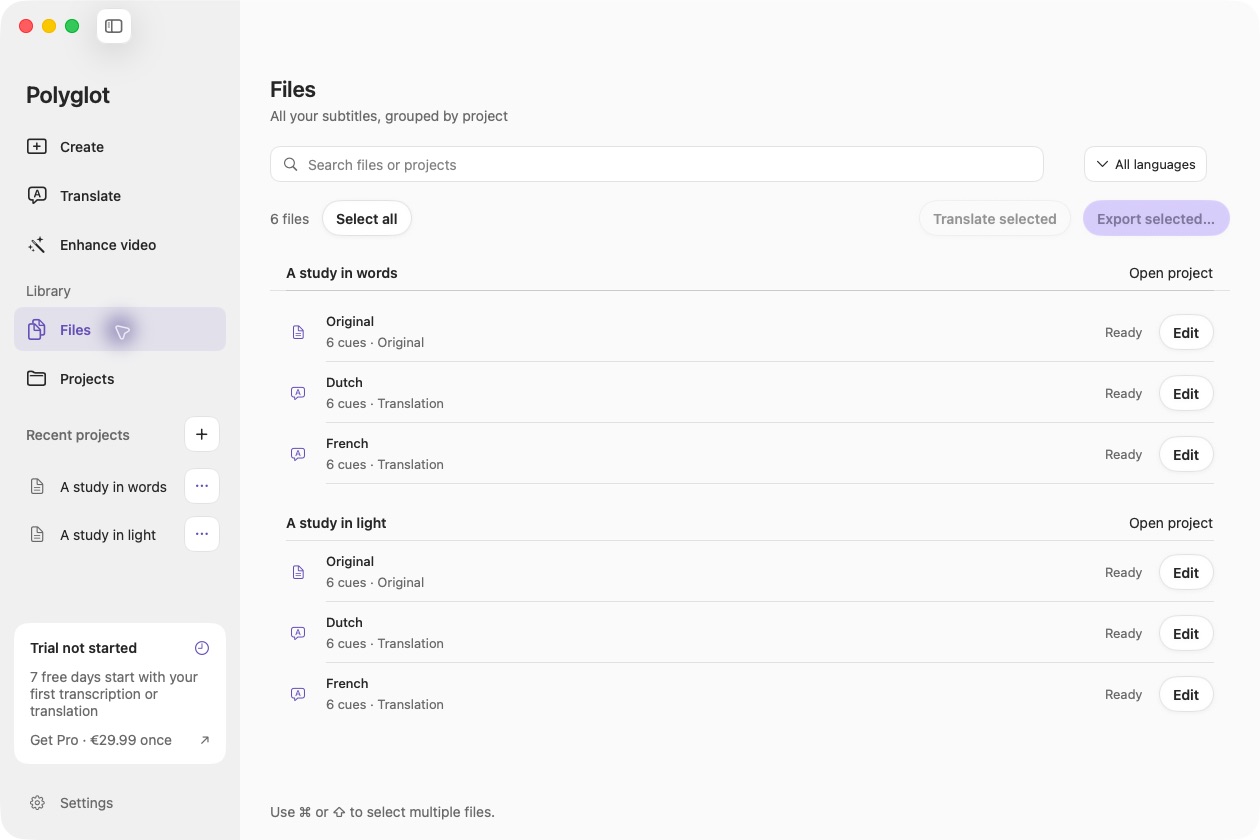
Polyglot files & projects workspace with a prepared sample.

Polyglot 1.10 · Prepared sample project

01

Files: see every saved track

Original subtitles, imported files and translations appear together, grouped by project. Search by file or project name, filter by language, and open a track to edit it. This is your Polyglot library; it does not automatically scan every folder on your Mac.

02

Select once, finish a batch

Select multiple tracks to export them into project folders. To translate across projects, choose one source track per project and select target languages. Completed translations stay intact, and partial progress can resume. AI results still need review before delivery.

03

Projects: keep the context

Open a project to find its media and every subtitle language together. Generate or import subtitles, add translations, edit a track and export the result. A subtitle-only project works without video; attach matching media later for playback review.

Before you begin.

Are my subtitles copied to the cloud?

No. Polyglot projects, subtitle text and processing stay on your Mac. Export separate SRT, VTT or TXT files when you want to share your work.

Does Files show subtitles anywhere on my Mac?

It shows tracks in your saved Polyglot projects. Import existing SRT or VTT files through Translate to add them to the library.

Can a project contain more than one video?

A project associates one media file with its subtitle tracks. Use separate projects for different recordings or edits.

Will a batch replace finished translations?

No. Completed translations and manual edits are preserved. Source changes mark affected translations for review rather than silently replacing them.

Keep creating.

Polyglot for Mac

Make more of your files.

Subtitles, translations, transcripts and video. Right on your Mac.

Download now

Apple Silicon · macOS 14.4 or later · 7-day free trial