 Polyglot
The Polyglot journal
How do you retime captions for extended audio description?
The first caption fits. Halfway through, the captions give the next instruction while the narrator is still describing the picture. If the editor held the frame to make room for description, the caption repair starts at that hold.
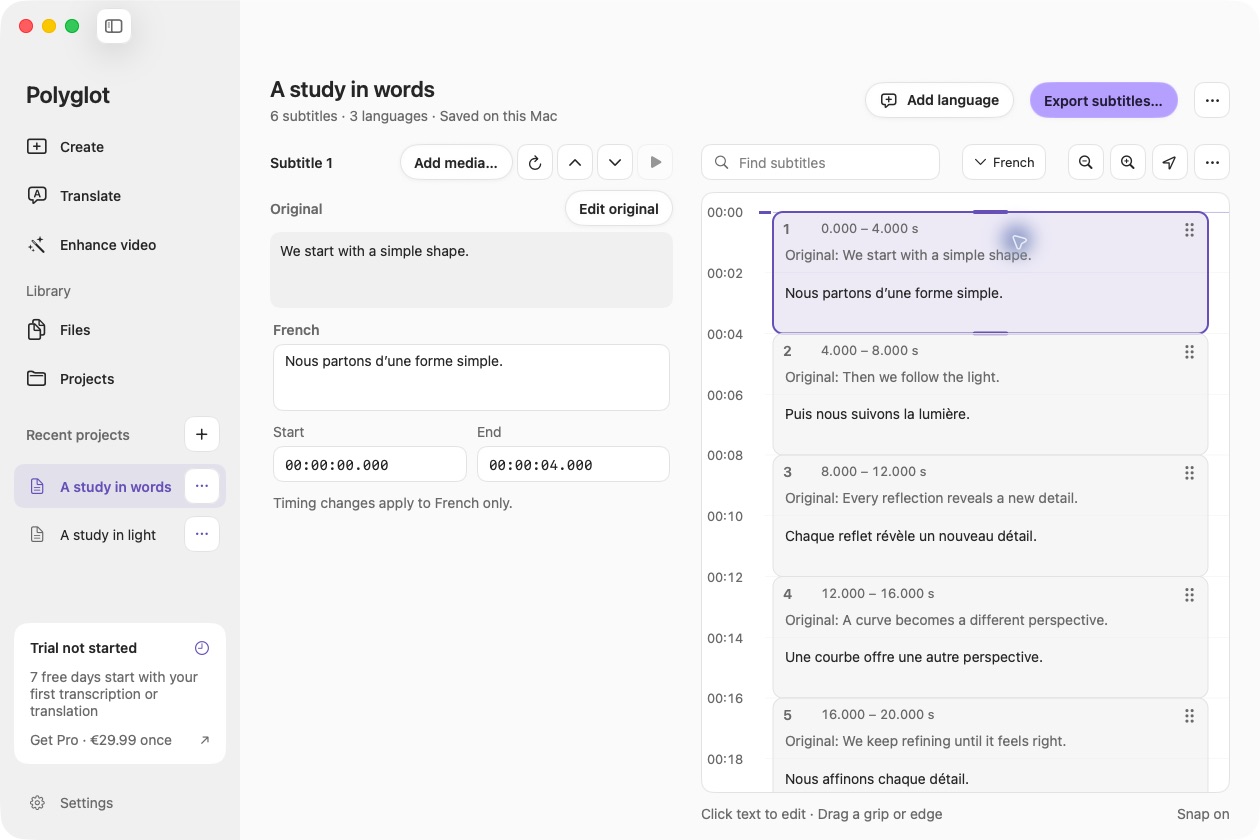
Polyglot 1.11 · Prepared sample project
First, find out which clock is running
Ask the producer for the approved original, the described release and their caption files. Play both versions through the first passage of description. Watch the media time when the picture stops. In a separately edited movie, the image can freeze while the file keeps playing. Dialogue after the freeze has a later timestamp in that file.
A player can also pause the original video while it reads a description aloud. In that case the viewer spends longer watching, but the video resumes at its original media time. Adding those seconds to every later caption would introduce an error. An alternate soundtrack that fits entirely within existing gaps can also share the original picture clock. Confirm the delivery method before moving a cue.
Mark each insertion on the original timeline
Consider a fictional lesson on reading a folded trail map. Its editor holds the image at original time 5 seconds for a three-second description, then again at original time 10 seconds for two more seconds. The original ends at 16 seconds. The separately edited described version runs to 21. Keep the approved original captions and start a copy for the longer version.
The first spoken instruction stays at 2 seconds. The second, originally at 7, now begins at 10. The last moves from 12 to 17 because both holds precede it. Shifting the whole file five seconds would spoil the first two lines. Applying only the first shift would leave the last line two seconds early.
Original → described start

02 → 02  Lift the flap.
07 → 10  Follow the fold.
12 → 17  Close the map.

Holds in the described file
05–08  Ridge description
13–15  Trail-end description
Give the new voice its own cues
At 5.2 seconds in the described example, the narrator says “A dotted line marks the ridge.” At 7.2 seconds the old sidecar already says “Follow the fold.” The ridge caption should still be on screen. The instructor does not resume for another 2.8 seconds. Put the spoken description in the caption track intended for that mix, then let the instructor’s cue appear when the instructor resumes at 10.
Use the final recording for the narrator’s wording and boundaries. A three-second image hold can contain a breath, a shorter line and a beat of silence. Extending the preceding dialogue caption through the entire hold can make it look as if the instructor is still speaking. Identify the change of voice if the viewer needs that information. Preserve meaningful sounds that remain audible in this edit.
Inspect both ends of any caption that crosses the edit point. Listen for which words occur before and after the insertion. Finish the first part where the original speaker stops, caption the inserted speech, then cue the rest where it resumes. If a dissolve, trim or rerecorded line changes the surrounding speech, locate it by ear before applying the arithmetic to the next group.
Check the wrong file on purpose
For a small reproducible check, we made two synthetic soundtracks with the map instructions and separate WebVTT files. On the 21-second soundtrack we checked the browser’s active caption at six seek positions. At 2.4 seconds both tracks said “Lift the flap.” That opening check alone would accept the wrong file.
At 13.5 seconds the original track said “Close the map.” The described track said “The trail ends here.” At 17.5 seconds only the described track supplied the closing instruction. Use a checkpoint inside each added passage and another after it. The first catches missing narration or a caption carried across the hold. The second catches dialogue that resumes early or late.
Hand off a pair the publisher can identify
For a recording you have permission to adapt, use distinct filenames for the original and extended cut. On an Apple Silicon Mac you can open an SRT copy in Polyglot, attach the matching media for review and edit cue text and timing. Keep the original available when exporting the revision. The video editor supplies the final described mix.
Ask the publisher to open the actual described edition, enable its captions, and seek to the marked lines. Then switch back to the ordinary edition and replay the closing instruction. Record the two media filenames, their durations, the caption file paired with each and one verified resume point per hold. A viewer returning to the shorter edition should see “Close the map” at 12 seconds again.
Sources & further reading
W3C WAI · Description of Visual Information
W3C · Technique G8, providing a movie with extended audio descriptions
W3C WAI · Captions and Subtitles
Published by Polyglot using an AI-assisted editorial workflow. How we prepare and update our guides.
Keep exploring.
Try it on your Mac.
Find the right tools for your words and video, with processing on your Mac.
Download nowApple Silicon · macOS 14.4 or later